
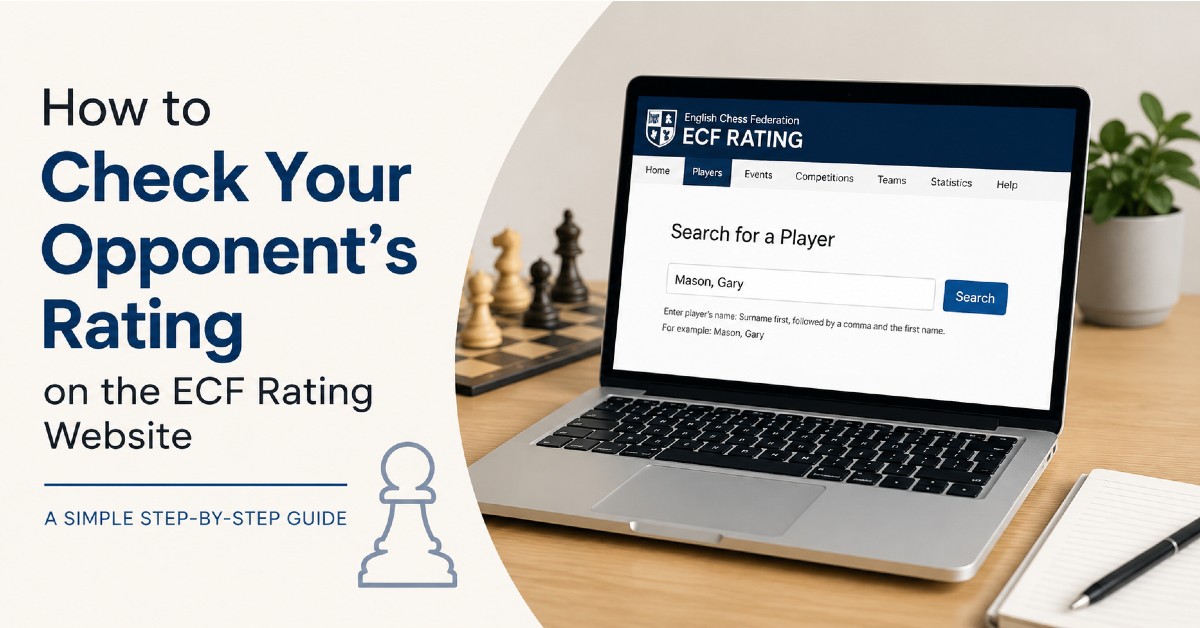
Whether you’re preparing for a league match, a tournament game, or simply curious about your next opponent, it’s easy to check a player’s current ECF rating online. Many players assume they need to use the LMS, but the quickest way to find a player’s rating is through the ECF Rating website.
Visit the ECF Rating Website
Go to the ECF Rating website and select the player search page.
This page contains the ECF rating database, which includes rated players from across England.
Enter Your Opponent’s Name
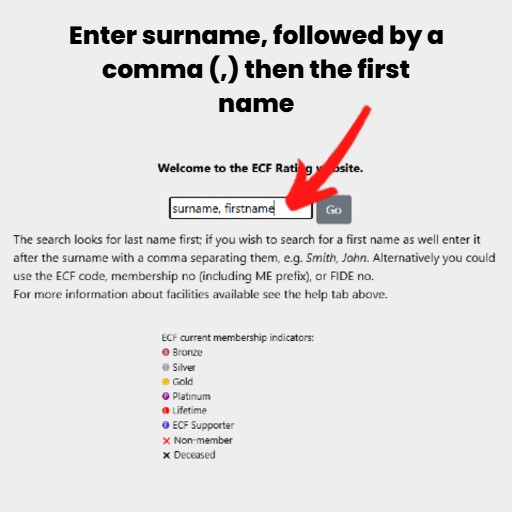
The search system uses surname first, followed by a comma and then the player’s first name.
For example:
Smith, John
You don’t always need to type the full name. If you’re unsure of the spelling, entering part of the surname will often find matching players.
Find the Correct Player
The search results will display players matching your search term. If several players have the same name, check details such as:
- Club
- County Association
- ECF Code
- Membership Status
These can help you identify the correct player.
View Their Rating
Once you’ve found your opponent, click on their name. You’ll be able to see information including:
- Standard Play Rating
- Rapid Play Rating
- Blitz Rating
- Club Affiliation
- Rating History
For most league matches, the Standard Play Rating is the figure you’ll be interested in.
Look Beyond the Number
A rating can tell you a lot about a player’s strength, but it doesn’t tell the whole story.
Consider:
- How active they are
- Whether their rating is rising or falling
- Their recent results
- The strength of opponents they have been facing
A player with a rapidly improving rating can often be stronger than their published number suggests.
What Do P, K and A Ratings Mean?
When viewing player ratings on the ECF Rating website, you may notice a letter next to a player’s rating. This letter indicates how established that rating is.
P Rating (Provisional)
A P rating means the player has not yet played enough rated games for the ECF to calculate a fully established rating. Provisional ratings can change significantly from one rating list to the next, as the system is still gathering information about the player’s playing strength.
K Rating (Known)
A K rating indicates that the player has played enough rated games for the ECF to have confidence in their rating. Most regular club and tournament players will have a K rating. While these ratings still change based on results, they are generally a reliable reflection of a player’s current strength.
A Rating (Assigned)
An A rating indicates that the player has played more than 30 rated games, giving the ECF enough information to produce a well-established rating.
While a player’s rating will continue to rise and fall as they play more games, an A rating is generally considered to be a reliable reflection of their current playing strength.
Why Does It Matter?
When checking an opponent’s rating, it’s worth paying attention to the letter as well as the number itself.
For example, a player rated 1700P may be considerably stronger or weaker than their published rating suggests, while a player rated 1700K is likely to be playing at around that level.
Understanding these rating types can help give a clearer picture of your opponent’s true playing strength before your next match.
Why Check Your Opponent’s Rating?
Some players like to prepare thoroughly before a game, while others prefer to sit down at the board with no prior knowledge.
Checking a rating can help set expectations, but remember that ratings don’t win games. Every player has good days and bad days, and surprises happen regularly in club chess.
Final Thoughts
The ECF Rating website provides a quick and easy way to check your opponent’s current rating before a match. Simply enter their surname followed by a comma and their first name, find the correct player, and you’ll have access to their rating information in seconds.
Just don’t spend so long researching your opponent that you forget to prepare your own game!